Automatic Backups
Automatic backups are a powerful add-on service intended to protect your data and provide peace of mind. Snapshots are taken every 72 hours, with three slots going back up to 12 days.
Important
Backups are strongly recommended to help protect your data.
The backup service costs 20% of the monthly rate for a slice.
Enable Backups
If backups are not enabled for a slice, you will be presented with a page quoting the monthly cost. To enable them, click Enable Backups.
As snapshots are taken over time, they will populate a table with the Size of the backup in GB, Duration (how long they took to complete), and Created date and time in UTC:
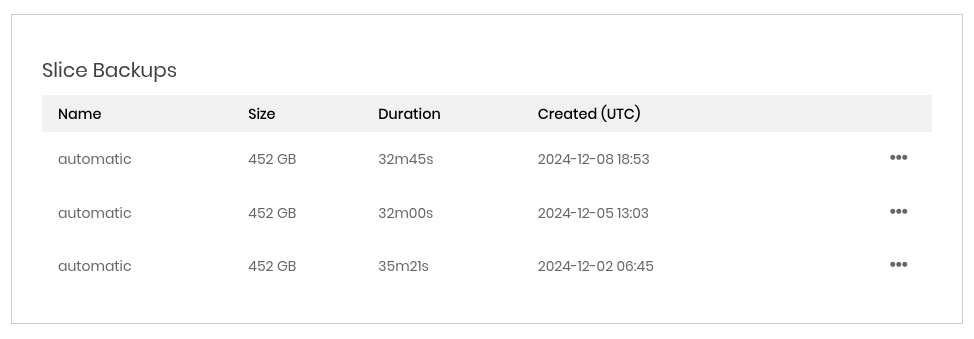
On the far right is an ellipsis dropdown menu. Clicking the menu provides the following options:
- Create Slice
Create a new slice out of this backup image. This will take you to the Create slice page, auto-selecting the backup image for you.
Tip
The create slice from backup option can be useful for checking over a backup image prior to doing a full restore.
- Restore Slice
Restore the slice with this image. You will be prompted to confirm. Once confirmed, the slice will be rebuilt and essentially “time warp” back to the point this image was created.
Caution
Restoring a slice from a backup image will irrevocably replace all data on the slice with that image.
Disable Backups
Backups can be disabled at any time by clicking the Cancel Backups button on the backups page for a slice. Billing for them stops immmediately.
Caution
When backups are cancelled, there is a 72 hour “cool down” period before they can be re-enabled. This is to prevent overlaps / flapping of the backup system backend.