Panel Overview
Upon login you will be directed to the Slices Overview page. The panel consists of the following primary sections:
Main Menu
The Main Menu contains links to the main areas of the panel:
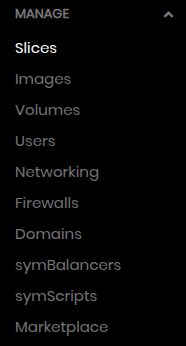
Manage
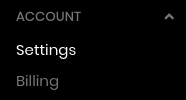
Account
Top Bar

From left to right, the top bar contains the following widgets:
- Create Button
Click to open a dropdown menu with different resource types. Clicking a resource type will take you to the create page for that type.
- Search Bar (keyboard shortcut:
Shift+Ctrl+F) Enter criteria to display matching results. Pressing enter or clicking on the first option will take you to a search results page containing all matching results, listed by resources type. Or you can select results using mouse or arrow keys to navigate. At the bottom of each result type, is “View all…”, which will take you to the main page for that resource type filtered on your criteria.
- Support Icon
Submit a support request.
- Events Bell
View the Events Page (see below).
- User Menu
Click to open a dropdown menu with shortcuts to some of the user options. This is also where to logout.
Hint
A common workflow speedup is to simply Shift+Ctrl+F to place your cursor into the search bar.
Type some matching criteria and hit Enter to bring up matching results. You can then Ctrl+Click
to open results in new tabs.
Events Page
The events page is opened by clicking the Events Bell icon in the Top Bar of the panel. It contains a log of all events that have occurred for all resource types under your account. It is a table listing the following information:
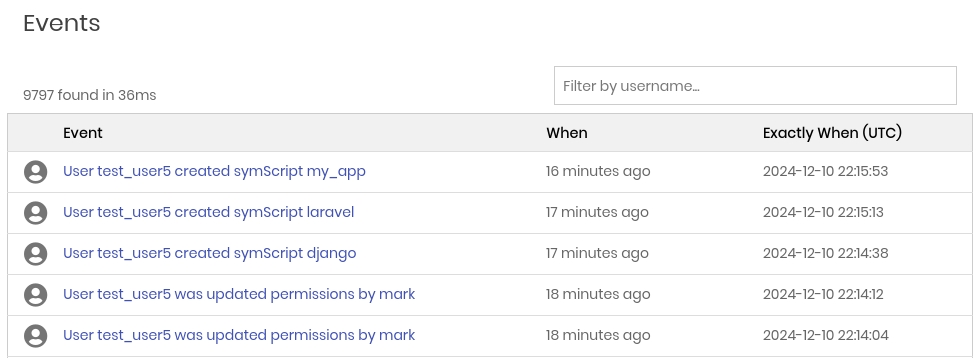
- Event
Description of the event (poweroff, domain modified, etc.) along with the username who executed that event.
- When
Quick note of how long ago.
- Exactly When
UTC timestamp of exactly when the event occurred.
Hint
Events provide a quick way to audit what is happening in your account, who did it, and when.
Note
For security reasons, Regular subusers can only view events which pertain to resources they have permissions to. Admins will see all events.
If there are more than 50 events, it will paginate to 50 events per page.